
Automatic Mileage Tracker App
Easy Expense TrackerBusiness
4.512.00 Reviews
- Version
- 5.46.7
- Installs
- 10.00K
- Age Rating
- Everyone
Screenshots
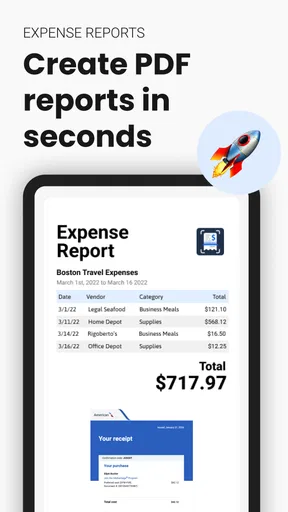
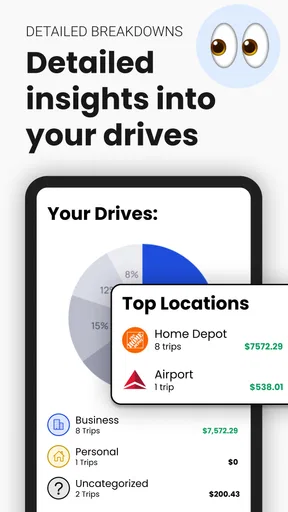
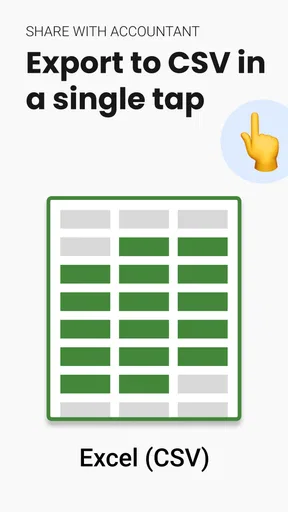
Our Review of Automatic Mileage Tracker App
 Analysis by Appyee
I found Automatic Mileage Tracker App most useful when I treated it as a quiet record-keeping tool rather than something I would constantly open during the day. Its purpose is straightforward: help turn everyday driving into mileage information that can support reports, reimbursements, and tax preparation. That sounds simple, but mileage tracking usually becomes frustrating at the exact moments when a trip is important, a phone is busy, or a user assumes the app will fill in every detail without any checking.
My experience with this business app is that its value depends as much on a sensible routine as on the app itself. Easy Expense Tracker, the developer, has kept the central idea focused on automatic trip tracking. I would recommend giving it a fair trial if you drive for work, visit clients, make deliveries, or need a cleaner record than a notebook or spreadsheet can provide. I would be more cautious if you need a full accounting platform, a fleet-management system, or records that can be accepted without personal review.
Where mileage tracking usually gets stuck
The first obstacle is expectation. “Automatic” does not mean that every journey will always be identified perfectly under every phone condition. A mileage app has to recognize movement, associate it with a trip, and preserve enough information for you to use later. Phone settings, interruptions, battery-saving behavior, and an incomplete review routine can all affect the result. I learned quickly that the best workflow is not to ignore the app completely, but to check its trip history at sensible points during the day or week.
A second sticking point is the difference between recording a drive and producing a useful business record. A list of journeys is not automatically a finished reimbursement report. I still need to know why a trip was made, whether it was personal or work-related, and whether the distance looks reasonable. That small amount of human review is important because an app can help organize mileage, but it cannot understand the business purpose of every stop on its own.
There is also a practical privacy and battery trade-off to consider before relying on any automatic tracker. Continuous awareness of movement can be convenient, but it may not suit someone who is uncomfortable with location-based tools or who keeps a tightly controlled battery routine. I would not install this casually on a phone used by several people, either. A mileage history is most useful when one person’s driving is kept separate and reviewed consistently.
In everyday use, the most common error is not necessarily a failed recording. It may be a trip that was captured but later classified incorrectly, left unnamed, or forgotten among several similar journeys. That is why I see the app as a starting point for accurate mileage records, not as a substitute for attention. The more complicated the driving pattern, the more valuable a short review habit becomes.
What I would check before blaming the app
When a journey does not appear as expected, I first check the phone rather than immediately assuming the tracker failed. Is the device carrying a stable charge? Was the app restricted by a battery-saving mode? Did I restart the phone, sign out, or change system settings recently? Was the phone left in a place where movement detection could be interrupted? These checks are not glamorous, but they often explain why an automatic process becomes inconsistent.
I also look at the timing. A journey may not be visible at the exact moment I finish driving, especially if the app needs time to process the movement. Closing an app forcefully after every use is another habit I avoid, because it can interfere with background behavior. I prefer leaving the phone in its normal operating state and then reviewing the recorded history later.
Another useful check is whether the problem affects one trip or every trip. A single missing journey suggests a different issue from a complete absence of new records. If only one drive looks wrong, I compare it with the route, stops, and phone conditions from that day. If nothing is appearing, I revisit the initial setup and system settings instead of editing individual entries repeatedly.
The current release is version 5.46.7, and the app runs on Android 6.0 or later. That makes it accessible to people using older Android devices, although compatibility alone does not guarantee that every phone manufacturer handles background activity in the same way. On an older handset, I would pay particular attention to battery controls and system updates before judging the tracking quality.
Setup checks that prevent avoidable gaps
I would begin setup when I have a few uninterrupted minutes, not while rushing out of a driveway. The first goal is to understand what the app needs to do its job and to make sure the phone is not quietly blocking that behavior. I would review the app’s system access choices carefully, keep the device’s location services available when driving, and check whether the manufacturer has placed the app into a restricted battery category.
It is tempting to accept every setup screen quickly, especially in a free app. I think that is a mistake with mileage tracking. A rushed setup can create a false impression that the product is unreliable when the real issue is that the phone is preventing background activity. I would also make sure the app is installed on the phone I actually carry in the vehicle. A tracker cannot help much if the device is left at home or swapped between phones without a consistent routine.
Before using the records for reimbursement or taxes, I would run a short personal test. Take a normal drive, then wait until the trip has had time to appear. Check whether the distance and timing look sensible, and see whether the result is easy to identify later. This test is more useful than assuming the first important business journey will reveal every setup problem.
I would also decide on a naming habit before my mileage history becomes crowded. For example, I might review trips at the end of each workday and mark the purpose while I still remember it. If the app offers a way to organize or label journeys, consistent wording matters more than clever wording. “Client visit,” “supply run,” and “office commute” are easier to understand later than a collection of vague notes.
The free price lowers the barrier to trying it, but in-app purchases range from $7.99 to $144.99 per item. I would not pay for an upgrade simply because I had one missing trip. First I would confirm that the phone is configured correctly and that the app fits my workflow. A paid option may make sense for someone who regularly prepares mileage records, but casual drivers should decide based on a real need rather than on anxiety about occasional imperfections.
One setup decision that deserves more thought is who will use the records. An employee seeking reimbursement, a self-employed driver preparing tax documentation, and a person tracking personal travel may all need different levels of detail. I would establish the intended use before the first week begins. That helps me decide how often to review trips and what supporting notes to keep outside the app.
A simple first-week routine
During the first week, I would not wait until the end to inspect everything. After the first drive, I would check the trip. After a few more drives, I would compare the entries with my calendar or work notes. This is where hidden friction becomes visible: perhaps short stops are confusing, perhaps I forget to classify a return journey, or perhaps my phone’s battery settings interrupt tracking after several hours.
I would keep a temporary backup note for important work trips during this trial period. That is not because the app is necessarily unsafe; it is because any automatic system deserves a verification phase before becoming the only record. Once the pattern is reliable, the extra note can become unnecessary for ordinary journeys, while especially important trips can still be documented separately.
I would also avoid changing several settings at once. If I alter battery controls, update the operating system, and reinstall the app on the same day, I will not know which change helped or caused a new problem. One adjustment at a time makes troubleshooting much easier and prevents random experimentation.
Recovering a workflow after a missed or messy trip
When I notice a missing journey, my first step is to reconstruct the facts while they are fresh: approximate departure, destination, purpose, and whether the route included multiple stops. I then look for the trip in the app’s history rather than immediately creating a duplicate. Duplicate entries can be more damaging than a missing one when the final mileage is used for reimbursement or tax work.
If the trip is present but incomplete, I compare it with what I remember and with any ordinary evidence I already keep, such as a calendar appointment or work message. I do not treat a neat-looking number as automatically correct. A route with a detour, a parking stop, or several nearby destinations may need a manual explanation even when the app captured the general drive successfully.
For a missed trip, I would make a clear manual note outside the normal automatic record if the app does not provide a suitable correction path in the version I am using. The important thing is to preserve the original context and avoid pretending that an automatically recorded entry exists when it does not. If I later contact support or review the record with an employer, a dated explanation is more useful than a vague memory.
Another recovery technique is to review the whole day, not just the missing journey. Sometimes the next trip reveals that the phone resumed tracking, which points toward a temporary interruption. Other times all later trips are absent, suggesting a broader phone or system issue. This pattern helps me choose between correcting one record and revisiting the setup.
I would be especially careful with recurring routes. A familiar drive is easy to approve without looking closely, but repeated errors can multiply across a month. If I notice a questionable distance on one regular route, I compare several entries before using them in a formal report. Consistency is useful, but it can also hide the same mistake repeated many times.
The app’s strongest role is reducing the memory burden between driving and reporting. Its weaker role is resolving ambiguous situations by itself. A trip that starts as personal travel and becomes a business visit, or a day containing many short stops, still benefits from a quick human note. I see that as a fair trade: automation handles the tedious capture, while I provide the context that only I know.
When a clean record needs more than the tracker
For reimbursement, I would check the organization’s own rules before assuming that an app-generated history is enough. Some workplaces may want a particular date range, purpose, destination format, or approval process. Automatic Mileage Tracker App can make the underlying mileage easier to collect, but it cannot decide what an employer’s accounting policy requires.
Tax preparation deserves the same caution. I would use the app to organize driving information, then review the entries against my work calendar, appointments, and receipts where appropriate. A mileage tracker is not a tax adviser. If the financial consequences are significant, I would ask a qualified professional how to preserve and present the records rather than relying on an app’s appearance of completeness.
This is also where the difference between a mileage tool and a full expense platform matters. Someone who only needs driving records may appreciate the focused approach. Someone who needs invoices, receipt scanning, payroll, project costing, or team approvals may outgrow it quickly and prefer a broader business system. Adding unrelated tools to a simple mileage workflow can create more work, but forcing one narrow tracker to handle every accounting task is not better.
When the app is not the cause
Some failures are really phone failures. A nearly full battery, aggressive background restrictions, unstable system software, or a device that is regularly restarted can disrupt any automatic tracking service. If other apps also stop updating in the background, I would investigate the phone before concluding that this particular tracker is at fault.
Driving conditions can matter too. Underground parking, dense buildings, poor reception, and complicated routes can make location-based records less tidy. I would not expect a perfectly clean journey line in every environment. The practical question is whether the app captures enough useful information for me to verify and organize the trip afterward.
User habits are another major factor. If I leave the phone in a bag, switch devices halfway through the day, or routinely close background apps, I am creating conditions that make automatic tracking less dependable. A tracker works best when the same phone travels with me and receives a brief review instead of being forgotten for weeks.
I would also separate a display problem from a data problem. An entry that is slow to appear may not be permanently lost. Repeatedly tapping, refreshing, or reinstalling can make troubleshooting harder. I prefer to wait a reasonable amount of time, reopen the history once, and then compare the result with the actual journey before taking more drastic action.
Support becomes worthwhile when the issue is repeatable and I can describe it clearly. I would record the phone model, Android version, approximate trip time, whether the problem affects every journey, and what settings changed beforehand. That gives the developer, Easy Expense Tracker, something concrete to investigate. A report saying only “it missed my drive” is much less useful than a short pattern covering several attempts.
There is a personal suitability question as well. I would skip this app if I strongly dislike automatic location-based tracking, if I rarely drive for work, or if I need a formal team platform with centralized oversight. A simple spreadsheet may be better for someone who makes only a few business trips and already records them immediately. Conversely, a notebook is a poor match for someone who forgets journeys easily and wants automatic capture to reduce that burden.
The age rating is Everyone, which makes the app broadly approachable, but that does not remove the need for adults to think about financial recordkeeping and phone privacy. I would explain the workflow to anyone sharing a device or managing records for a small business. Clear ownership of the mileage history prevents confusion later.
My practical verdict after weighing convenience against control
Automatic Mileage Tracker App earns its place when the problem is repetitive driving and unreliable memory. I like the idea of letting the phone collect the basic trip history while I spend only a short time checking purpose and accuracy. That is a meaningful improvement over reconstructing an entire month from calendar entries and fuel receipts.
Its real benefit appears in ordinary situations: I finish a day of client visits, open the history, recognize the sequence of trips, and add context before the details fade. For a self-employed person who drives several times a week, that routine can make reimbursement or tax preparation less intimidating. For an employee with occasional travel, it may be useful as a safety net rather than a daily necessity.
The trade-off is that automation still needs supervision. I would not promise an employer or tax professional that every entry is perfect without reviewing it. I would test the setup, watch the first week closely, keep the phone configured consistently, and investigate patterns rather than isolated oddities. Those steps are not burdensome, but they are essential if the records matter financially.
The average rating is 4.5 from around 118 ratings, and the app has passed 10K installs. I read that as encouraging interest rather than proof that it will behave identically on every Android phone. The free download makes testing low-risk, while the range of in-app purchases means I would evaluate the basic workflow before spending anything.
My recommendation is therefore specific: try it if you want automatic mileage tracking and are willing to perform a quick review of important trips. Give it a structured test drive, check the phone’s background settings, and decide whether its records match your employer or tax workflow. Choose a spreadsheet for occasional, highly controlled entries; choose a broader business platform for accounting and team management; choose this app when the main pain is remembering and organizing everyday driving.
After using it with that realistic expectation, I see Easy Mileage as a practical assistant rather than a complete recordkeeping authority. It can remove much of the tedious capture work, especially for people who drive regularly, but the final quality still comes from the routine around it. For me, the best reason to use it is not that it eliminates review, but that it makes review manageable. That is a modest promise, yet it is exactly where a mileage tracker can be genuinely helpful.
Verdict
Strengths of Automatic Mileage Tracker App
- Tracks trips automatically without requiring manual start and stop
- Useful mileage summaries for tax deductions and expense reports
- Helps separate business and personal journeys with trip classification
- Location history makes it easier to review routes and travel patterns
- Can reduce forgotten mileage entries during busy workdays
Limitations of Automatic Mileage Tracker App
- Continuous GPS use may noticeably reduce battery life
- Automatic tracking can record unintended trips or short movements
- Accurate mileage tracking may require location access at all times
- Some useful reports or export tools may require a paid plan
- Background tracking can raise privacy concerns for location-conscious users
Other Releases by Easy Expense Tracker
View All
Receipt Scanner: Easy Expense
Business4.8

Easy Invoice & Estimate Maker
Business4.8
Similar Picks in This Category
View All
LinkedIn: Community & Network
LinkedIn3.8

Zoom Workplace
zoom.com4.1

Microsoft Teams
Microsoft Corporation4.6

Meta Business Suite
Meta Platforms, Inc.4.6

Webex Meetings
Cisco Systems, Inc.4.5

TeamViewer Remote Control
TeamViewer4.4
Frequently Asked Questions
What is the Automatic Mileage Tracker app used for?
Automatic Mileage Tracker is designed to record the distance and routes of your vehicle trips without requiring you to write down every journey manually. It can be useful for business mileage, delivery work, commuting, road trips, and expense reporting. Depending on the app’s settings, it may classify trips as personal or business and help you review mileage totals before exporting or submitting them.
How does Automatic Mileage Tracker record my trips?
The app generally relies on your phone’s location services, GPS, motion detection, and sometimes Bluetooth or vehicle connections to recognize when a journey begins and ends. You normally need to grant location permission and keep the required tracking features enabled. Accuracy can vary in tunnels, underground parking areas, dense cities, or when battery-saving settings restrict background activity.
Does Automatic Mileage Tracker work in the background?
Yes, the main purpose of an automatic mileage app is to detect and record trips while you are not actively using the screen. However, background tracking depends on your phone’s operating system permissions, battery optimization settings, and location access. Before relying on it for work or tax records, check that background activity is allowed and review several trips to confirm that tracking is working correctly.
Can I edit, categorize, or export recorded mileage?
Most mileage-tracking features allow you to review individual trips, correct inaccurate start or end points, add notes, and mark journeys as business, personal, or another category. Many versions also provide reports or export options for sharing records with an employer, accountant, or expense system. Available formats and reporting tools may depend on the app version or subscription plan.
Does Automatic Mileage Tracker affect battery life and privacy?
Because the app may use GPS and location services in the background, it can consume more battery than apps that only run when opened. Battery usage depends on your device, trip frequency, and tracking settings. Location history can also reveal sensitive travel information, so review the privacy policy, understand how data is stored or shared, and disable tracking when you no longer need it.
